
Buying a laptop can feel complicated. Intel Core Ultra. AMD Ryzen AI. Snapdragon X. NPUs. U-series. H-series. The names keep coming, and it can be difficult to know what any of them actually mean.
The good news? You don’t need to be a tech expert to choose the right laptop.
For most people and small businesses, the best processor is simply the one that can comfortably handle the work you do, give you good battery life and keep your laptop useful for years to come.
Here’s what you need to know.
First, what does a processor actually do?
Think of the processor, or CPU, as the main engine inside your laptop. It helps your computer open apps, work with spreadsheets, browse the web, join video calls, edit documents and handle multiple jobs at the same time. A more powerful processor can usually deal with more demanding work. But bigger and faster isn’t always better. That’s why choosing the right processor is about matching the laptop to what you actually need it to do.
Intel, AMD or Qualcomm: what’s the difference?
Today, three big processor families are competing for your attention:
- Intel: Intel is one of the most familiar names in laptops, known for reliable everyday performance through its standard Core processor family. It remains a popular choice for businesses because of its broad compatibility with enterprise applications and older systems.
- AMD: AMD’s Ryzen processors are another popular option. Ryzen chips are designed to offer strong performance across everyday work, multitasking and more demanding jobs. Newer Ryzen AI processors include dedicated technology for AI features. For someone working with large spreadsheets, multiple programs, creative tools or other demanding applications, Ryzen can be worth considering.
- Qualcomm: Qualcomm’s Snapdragon X processors take a different approach. They are based on ARM technology, which can help laptops use less power and deliver longer battery life. That makes Snapdragon laptops attractive for people who spend a lot of time away from a plug point. If your business relies on specialised or older software, confirm compatibility with Incredible’s TechXperts in-store before buying.
What is Intel Core Ultra?
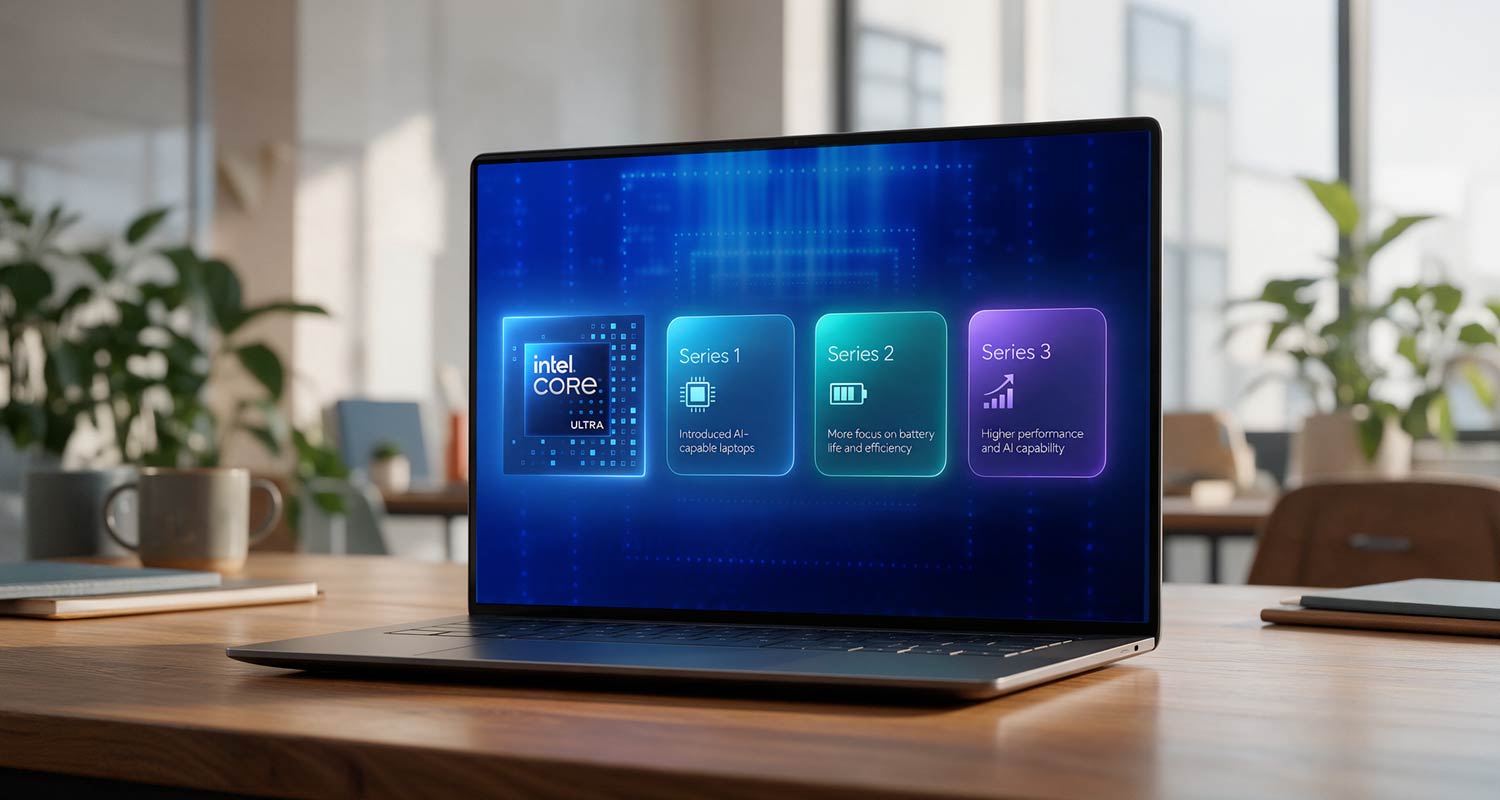
You may have noticed that some newer Intel laptops are labelled Core Ultra rather than simply Core i5 or Core i7. In simple terms, Core Ultra processors are designed for a newer generation of laptops that place more focus on battery efficiency, graphics and AI features.
- Core Ultra Series 1: This introduced Intel’s newer approach to AI-capable laptops, including dedicated hardware that can handle certain AI tasks without placing all the work on the main processor.
- Core Ultra Series 2: This generation puts even more focus on battery life and efficiency, particularly in thin and lightweight laptops. This is useful for people who travel, move between meetings or work regularly away from their desk.
- Core Ultra Series 3: This newer generation is designed to push performance and AI capability further, making it more suited to people who want extra processing headroom for demanding work. The important thing to remember is that a newer generation does not automatically mean you need the most expensive model. Your workload still matters more than the badge on the machine.
What is an NPU, and why should you care?
You may also start seeing the letters NPU when shopping for a laptop. NPU stands for neural processing unit. That sounds complicated, but its job is simple: it helps your laptop handle certain AI tasks efficiently.
A modern laptop can have three main types of processing power:
- CPU: Handles everyday computing and general tasks
- GPU: Handles graphics, video and other visually demanding work
- NPU: Handles certain AI-powered tasks
The NPU can help with features such as background blur during video calls, noise reduction, automatic camera framing, translation and some AI tools. Because the NPU can take care of these jobs, the CPU doesn’t have to do everything itself. That can help a laptop work more efficiently and reduce unnecessary battery use. For South Africans who often work on the move or need to stay productive when access to power is limited, efficiency can make a meaningful difference.
Which processor level do you actually need?
You don’t need the most powerful processor available if your work doesn’t require it.
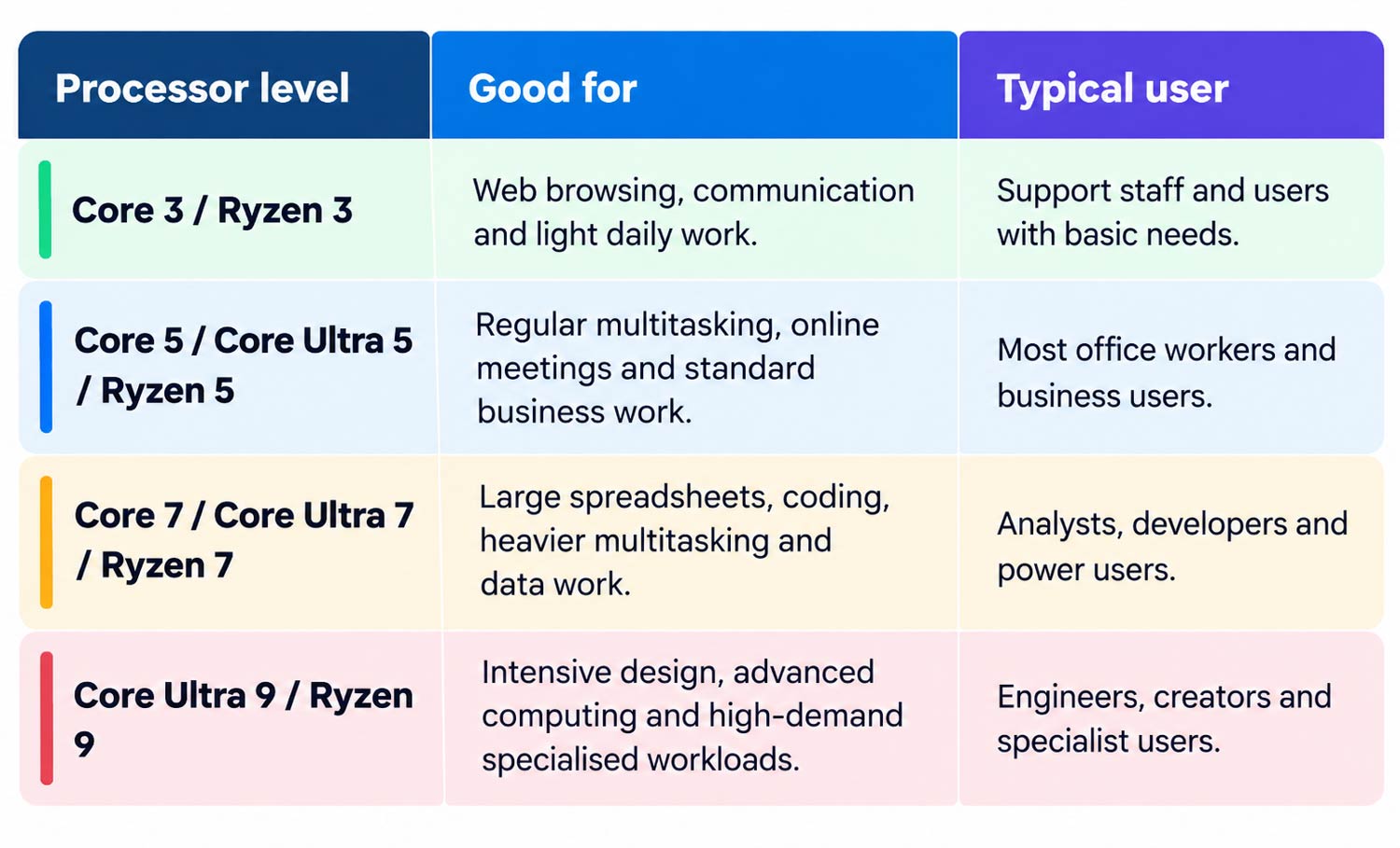
For many businesses, the middle of the range is the sweet spot. A Core Ultra 5 or Ryzen 5 laptop will comfortably handle everyday work, and you won’t be paying for performance you may never use.
What do the letters after the processor name mean?
Processor names often end with letters such as U, V, H or HX. These letters give you an idea of what the processor is designed to do.
- U: built for efficiency. U-series processors are a good fit for everyday work, portable laptops and people who care about battery life.
- V: premium efficiency. Intel’s V-series processors focus heavily on efficiency in thin, modern laptops, including machines designed around newer AI features.
- H: more performance. H-series processors use more power but offer extra performance. They are better suited to heavier work such as creative applications, development and more demanding multitasking.
- HX: maximum laptop performance. HX processors are aimed at high-performance laptops and mobile workstations. They make the most sense for specialised tasks such as engineering, advanced creative work or other demanding professional applications.
So, which laptop processor should you choose?
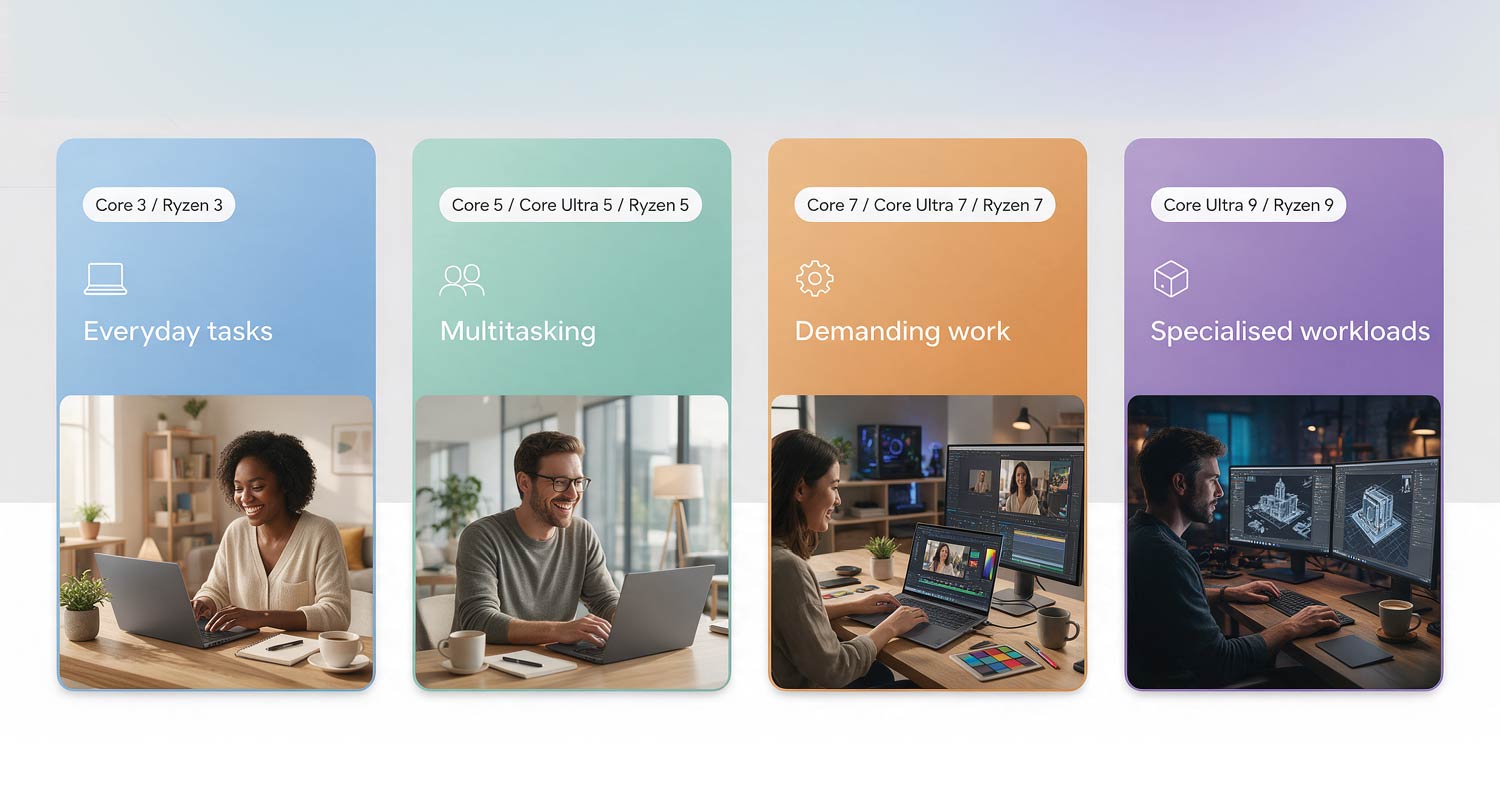
Start with what you actually do every day. If you mainly use e-mail, a browser and video calls, you don’t need a top-end processor.
If you’re regularly working with large spreadsheets, editing video, developing software or using specialist applications, stepping up to a Core Ultra 7, Ryzen 7 or higher could make sense.
If battery life is one of your biggest priorities, look for efficient processors such as U- and V-series chips, as well as Snapdragon X laptops.
And if you’re considering a Snapdragon laptop for business, check that your most important software works properly on Windows on ARM.
Still not sure which laptop is right for you? Visit an Incredible store and chat to a member of our sales team for free, practical advice. Once you’ve chosen your device, our Walk Out Working service can help get it unpacked, configured and ready to use before you leave the store.
TechXperts can also assist with data transfers, device health checks and ongoing tech support. Plus, every computer bought at Incredible comes with a free 3-year warranty for added peace of mind. Simply register your warranty online within 30 days of purchase.
Business customers can also make use of our 30-day business account with interest-free payment terms. T&Cs apply. Find out more at incredible.co.za.
- Read more articles by Incredible on TechCentral
- This promoted content was paid for by the party concerned