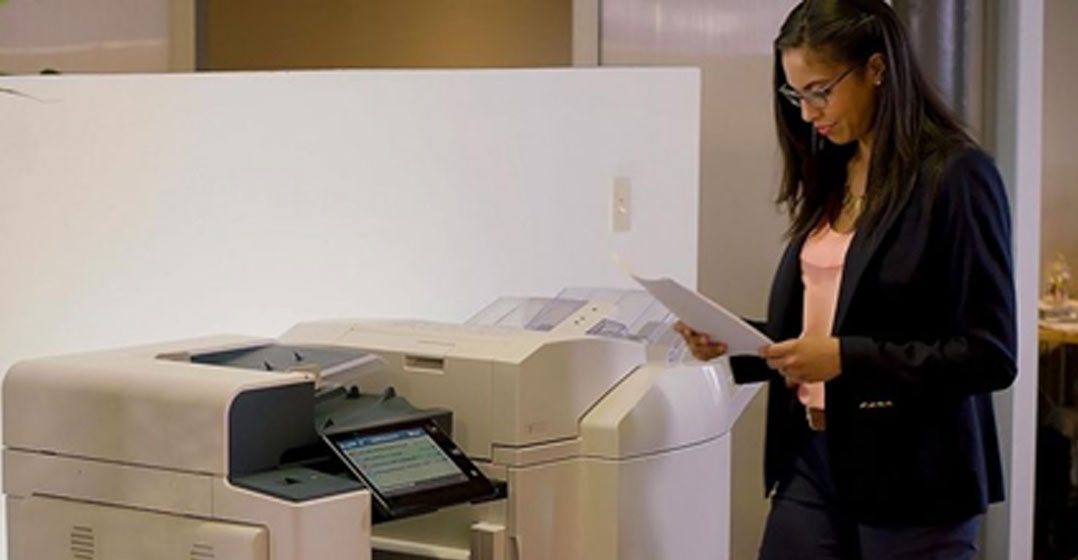
 Throughout the year, we’ve covered the important topic of secure document printing. Here’s a recap of some of those posts by one of our own security experts: April Bourne, LSS Black Belt, Xerox Manager Sales Enablement and Training, Research & Product Development.
In this month’s blog we recap our security-focused stories from 2018. Hopefully you learnt something you didn’t know before, maybe had a good chuckle (as you pondered what you could apply to your current security arsenal) or most of all, you better understand how your Xerox device could help you be more cybersecure in this era of IoT (the Internet of things). If we did just one of those things, or all three, our mission is accomplished. Read on for a recap.
Concerned about document security? How common criteria certification helps
March 2018 — Data protection is a major security concern for many organisations. There is a plethora of documents produced each day that contain our sensitive/personal information. If that data were to be breached, major harm could be done to not only to us individually, but to the organisation responsible for securing our data.
Unfortunately, it’s not realistic to just stop processing our information altogether so that confidentiality and integrity issues do not exist. How can organisations be assured that the devices used to print, scan, fax and copy documents that contain our data are protected and live up to their security claims?
The answer is Common Criteria Certification (CCC), which many Xerox devices have. CCC gives customers a high degree of assurance that their documents are protected against unauthorised disclosure or modification. CCC is a global standard (ISOIEC 15408) that is internationally recognised and adopted by 28 countries, including the US. In addition, the testing and validation are provided by accredited, independent third-party laboratories. Common Criteria Certified devices allow customers to feel extremely confident about the security of their device!
Securing the print device and the humans who use it
April 2018 — We gave you four tips to not only cybersecure yourself, but also your Xerox device:
1. Create strong passwords
Create and apply good passwords. This reoccurring theme cannot be reiterated enough. Once your password is compromised on one website, hackers will scan the Internet with “superfast” computers and use those same login credentials to gain entry to other “more important” sites you may frequent. We suggested not only using strong passwords, but don’t reuse passwords on multiple websites. Here are some tips on creating strong passwords, along with a few other great security suggestions: Strong passwords.
Your Xerox device: The same also goes for your Xerox device. Ensure the default password is not what’s protecting all those great security configurations you have applied. Only the administrator should have access. Having a strong password protects your networked Xerox device from unauthorised users. When you do create a password, use the same guidance provided previously for your personal devices.
2. All Wi-Fi is not created equal
That inviting, public Wi-Fi connection may be about as safe as a candy corn on Halloween. Free does not equal secure. That means you can open yourself up to all kinds of security issues if you are not careful. If you must use a public hotspot, avoid typing your personal/sensitive information, since not only is everything you type probably in clear text (not encrypted — meaning if intercepted it can be read). That hotspot might not even be a hotspot, but an attacker’s laptop set up to appear as trusted Wi-Fi. If that is the case, you have even more to worry about!
Your Xerox device: If you want to use wireless printing for your Xerox AltaLink, implement 802.1x device authentication to ensure your printer connects to an authorised wireless access point. For other Xerox models, check the Administrator Guide to confirm what your device supports.
3. Keep your software up to date
It is almost impossible to keep up with every single vulnerability in software for all devices that you own (for example, your cell phone, tablet or PC). Many software updates provide not only enhanced functionality or fixes for glitches, but often mitigate security vulnerabilities that you are unaware of. Some updates might even provide enhanced security features. So, when you get that annoying software upgrade required message, don’t ignore it, install it. It will be well worth your time.
Your Xerox device: Xerox is focused on providing customers with software updates to fix issues or add features/functions. This makes print devices more useful to customers. Just as important, some software updates also address vulnerabilities identified through our rigid vulnerability management programme. There is a catch, however. The only way to benefit from all the “good security stuff” that may be in the latest software version is to install it! The latest software helps keep your Xerox devices cybersecure, so do take advantage.
4. To click or not to click
E-mail, texts and social media pages (to name only a few) are all playgrounds for cybercriminals who prey upon your trusting good nature — and the fact you can’t resist clicking on the link to that video of the snoring kitten! Malware that can steal your personal information can easily infect your devices via what may appear to be harmless invitations or requests from “trusted” friends or companies. Think before you click!
Your Xerox device: Xerox devices are protected from malicious software because our software is digitally signed. That means the device will validate that the software is trusted before it even THINKS about installing it. In addition, AltaLink and ConnectKey devices have whitelisting technology that means only defined permissible files are allowed to execute, leaving the long list of bad stuff out in the cold. Unlike some of us who have to see that snoring kitten, the AltaLink and ConnectKey won’t have “snoring kitten.exe” on the list of known good files!
Encryption for the rest of us
May 2018 — We attempted to take the mystery out of encryption with a short lesson (Encryption 101!). To put it simply, encryption takes plain text and applies mathematical functions to make the text unreadable until it is decrypted with the encryption key. The encryption keys on encrypted devices are often protected by passwords, so use STRONG passwords. If your password is compromised, strong encryption will not protect your data, because it will be decrypted as soon as the right password is entered. Don’t make it easy for cyber-thieves. Using strong passwords is a must!
Your Xerox device: Most of all, we talked about how the Xerox AltaLink supports strong 256-bit AES (Advanced Encryption Standard) encryption on the device hard drive. The AltaLink also protects your print jobs by using IPsec, and it uses HTTPS to protect transmitted data end to end via TLS 1.2 encryption. If you need support for FIPS 140-2, the AltaLink has got you covered. Consult your device model Administrator Guide to see all available encryption options.
Authentication vs authorisation: what’s the difference? Why should you care?
July 2018 — We discussed the very important difference between authentication and authorisation. Authentication is proving who you are with either a username and password combination for example (there are other authentication methods!). Authorisation is what you are allowed to do once you authenticate by proving who you are. If you are a bank customer, once you authenticate on a website, you have access to YOUR account information and only yours. A bank customer service rep however, can pull up almost any account information. You as a customer are not authorised to do what the bank employee can do!
Your Xerox device: As a device administrator, you can assign what an authenticated (or non-authenticated) user can and cannot do. Maybe only certain groups or users can print and scan to e-mail, and others can only make copies. Authorisation can be very granular, or simple; the choice is yours as an administrator. Your security policies and the sensitivity of the information your organisation processes can help drive the authentication and authorisation settings you apply to your Xerox device. The main message is this: the Xerox AltaLink is very likely to support your security requirements in this area. Be sure to check your specific model’s Administrator Guide for available authentication/authorisation options.
Security technologies: secure today, but not forever
October 2018 — The security in current technology, even if we wanted it to, can’t last forever. We offered a few examples of security technology that over time, has been proven to be insecure. WPA-2, a widely used encryption method used in many home wireless routers has another identified vulnerability in the four-way handshake it uses for authentication. The good news is the WPA-2 vulnerability can be mitigated by applying a strong password to the wireless router. Armed with that information, you changed your password expeditiously if it did not meet the strong password criteria we gave you in April, right?
Make document security a priority, not snoring kittens
So that is the security year in review. Some of the main messages:
- Use strong passwords
- Common Criteria Certified devices = high level of security confidence
- Think before you click; authentication is not authorisation
- Use encryption whenever and where ever available
- Keep your software up to date on everything because nothing is secure forever
- Free Wi-Fi is free for a reason
Check out the full articles at the links included above if you want more information. Last but not least, the Xerox AltaLink, VersaLink, ConnectKey and other Xerox device models may support many of your organisation’s security requirements. Be sure to consult your device model Administrator Guide for all available options. In closing, we pose the question: do kittens really snore? We think the mystery has been solved — no need to click that link anymore!
About Altron Bytes Document Solutions
Altron Bytes Document Solutions (Altron BDS) is Africa’s leading document management technology and services company and the largest Xerox distributor in the world. It is the authorised Xerox distributor in 26 sub-Saharan countries offering the complete range of Xerox document equipment, software solutions and services. BDS forms part of JSE listed Allied Electronics Corporation Altron.
- This promoted content may have been paid for by the party concerned